Most guides to NetSuite integrations stop at “sync orders, customers and inventory”. That part is rarely what goes wrong. Projects fail on decisions nobody wrote down:
- Which NetSuite transaction a web order becomes
- Whether Shopify’s tax or NetSuite’s tax is the one that posts
- How a Salesforce product bundle maps to NetSuite items
- What happens when the same record is edited in two systems within a minute
- Who notices when a sync silently stops on a Friday night
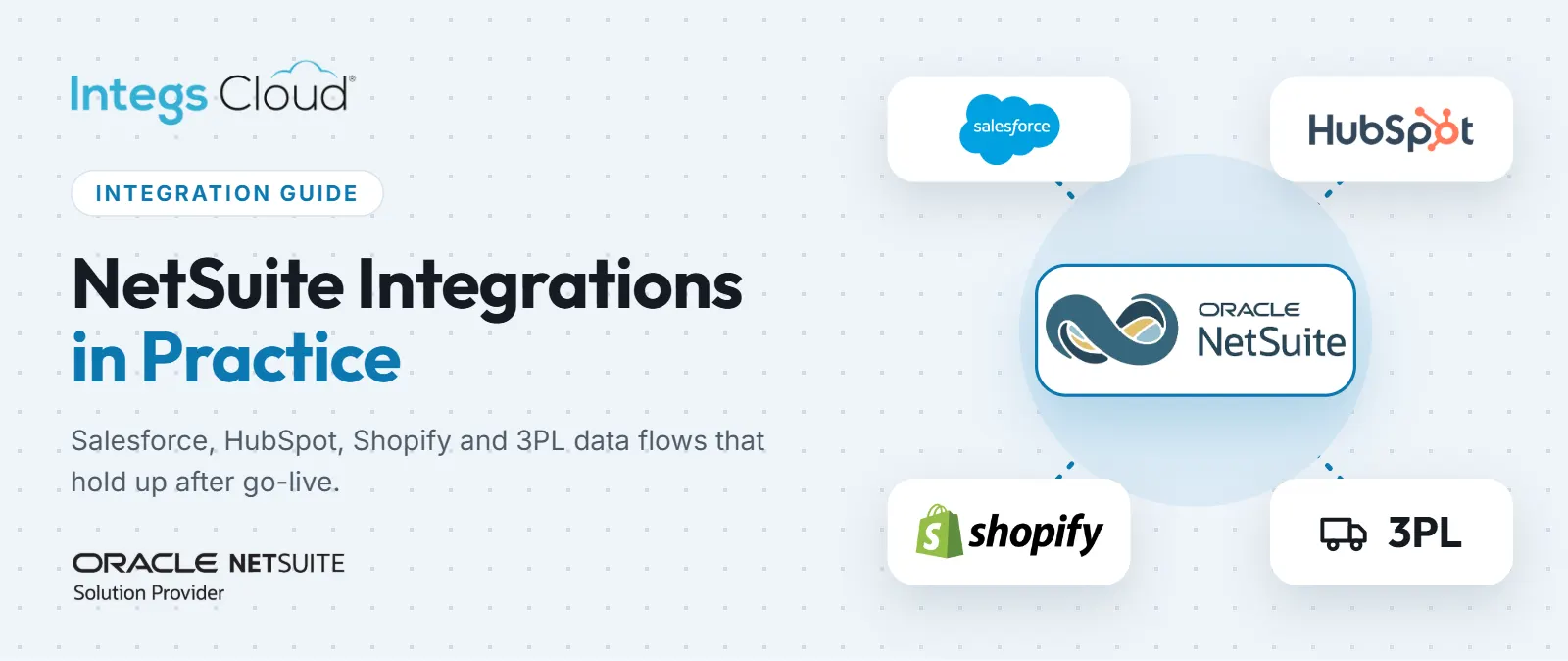
This guide is for operations, finance, RevOps and IT leads who own NetSuite and are connecting it to Salesforce or HubSpot, Shopify and one or more 3PLs. It skips the basics and focuses on the design choices that decide whether an integration still works a year after go-live. Each system section ends with the specific questions to settle before anyone configures a connector.
Design decisions that apply to every NetSuite integration
These six decisions are the same whether you’re connecting a CRM, a storefront or a warehouse. Settle them once and reuse them across every integration.
1. Ownership is decided per field, not per record
“Salesforce owns the customer” sounds clear until finance changes payment terms and the next sync overwrites them. Ownership has to be set field by field. A typical customer record splits like this:
| Customer field | Owner | Why |
|---|---|---|
| Company name, primary contact, sales rep | CRM | Sales maintains these day to day |
| Billing address, payment terms, credit limit, tax registration | NetSuite | Finance controls anything that affects billing and collections |
| Subsidiary and currency | NetSuite, set once at creation | Changing either after transactions exist is heavily restricted in NetSuite |
| Shipping addresses | Source of the order (CRM or Shopify) | The order carries the address it was placed with |
| Balance, overdue amount, credit hold | NetSuite, read-only in the CRM | Lets sales see account health without asking |
Any field without a single owner is a future overwrite. If two systems genuinely need to edit the same field, decide which edit wins and log both.
2. Store each other’s IDs, and upsert on external ID
Never match records on names. “Acme Inc” and “ACME, Inc.” become two customers. Instead:
- Write the CRM or Shopify record ID into a custom field on the NetSuite record, and the NetSuite internal ID back onto the source record.
- Use NetSuite’s External ID field as the upsert key. If a create is retried after a timeout, an upsert on external ID updates the existing record instead of creating a duplicate.
- Be careful matching on email. Shared inboxes like accounts@ or orders@ belong to many people and will merge customers that shouldn’t be merged.
3. Choose the trigger per flow
| Trigger | Good for | Trade-off |
|---|---|---|
| Real time (webhooks, events) | Orders, order status, shipment confirmations | More API calls; needs a queue so bursts don’t overload NetSuite |
| Scheduled delta (records changed since the last run, using last-modified date) | Customers, items, prices | Data is minutes old; misses deletes unless you handle them separately |
| Scheduled batch | Inventory snapshots, payouts, daily reconciliations | Simple and predictable; data is hours old |
Avoid making outbound calls from inside NetSuite’s save process. A script that calls Shopify every time someone saves an item slows down every user and fails when the other system is down. Queue the change and send it afterwards.
4. Plan for API limits on both sides
Every integration shares NetSuite’s account-level concurrency limit, which depends on your service tier and any SuiteCloud Plus licenses. Three integrations each running at full speed during a sale can block each other, and block your own staff’s imports. The other systems have limits too:
- Salesforce enforces a daily API request allocation per org.
- Shopify’s GraphQL Admin API limits by calculated query cost rather than request count.
- HubSpot rate-limits API calls per app.
Size the integration for your peak day, not an average Tuesday. Use bulk or batch endpoints for large loads like initial migrations and price updates.
5. Make every write safe to repeat
Networks time out. A good integration retries, and a retry must never create a second order, payment or fulfillment. That needs three things:
- Upserts on external ID (see above)
- A status check before creating dependent records, such as “does this order already have a fulfillment?”
- An error queue where failed records wait with the reason, so they can be fixed at the source and replayed
Fixing a failed record by hand in NetSuite without fixing the source means the next sync either fails again or overwrites the fix.
6. Give the integration its own identity and environment
- Its own login. Use token-based authentication or OAuth 2.0 with a dedicated integration role that has only the permissions it needs. Never use a person’s login: when they leave, the integration stops.
- A safe sandbox. After every NetSuite sandbox refresh, re-create the integration tokens and check the endpoints. Make sure a sandbox can never send orders, fulfillments or refunds to your live Shopify store or your real 3PL.
Salesforce + NetSuite: the opportunity-to-cash details
The headline flow is well known: a Closed Won opportunity becomes a NetSuite sales order. The work is in the six details below.
Account hierarchies and person accounts
Salesforce parent accounts map naturally to NetSuite parent customers, but billing doesn’t always follow the hierarchy. Decide whether invoices go to the parent (central accounts payable) or to each child (local billing), and set the NetSuite bill-to accordingly. If you use Salesforce Person Accounts for individual buyers, map them to NetSuite customers of type Individual, not Company. Otherwise reporting and tax handling for those customers is wrong from day one.
Opportunity, Order, or both
Pick one object to create sales orders from, per order type. Teams that sell directly usually use the Opportunity. Teams that also take orders from a portal or partner channel often use Salesforce Orders. Then decide what happens when a deal changes after it’s synced:
- Lock it. Make the opportunity read-only after Closed Won, and route changes through finance in NetSuite.
- Allow amendments. Push changes to the sales order until it’s fulfilled, and reject them after that.
Either works. Leaving it undecided produces orders that differ between the two systems.
Products, bundles and price books
Salesforce Products and Price Book Entries should be created from NetSuite items, not the other way round. Bundles need a deliberate mapping, because NetSuite has two different ways to sell several items as one:
| Salesforce | NetSuite option | Effect |
|---|---|---|
| A bundle sold and priced as one line | Kit/package item | One line on the order and invoice; the warehouse ships the components |
| A bundle whose parts are priced and reported separately | Item group | Expands into its component lines on the transaction |
| Each part quoted separately | Individual items | Simplest; the quote and the order match line for line |
The choice changes inventory, revenue reporting and what the 3PL receives, so agree on it with finance before building.
Subscriptions, renewals and revenue recognition
If you sell annual or multi-year contracts, the sales order needs more than a quantity and price. Each recurring line needs a start date, an end date and a billing frequency, and NetSuite needs to know how to recognize the revenue. That usually means SuiteBilling subscriptions or revenue arrangements under Advanced Revenue Management, not a plain sales order. Capture term dates on the opportunity line items in Salesforce, or the integration has nothing to send.
Currency, discounts and tax
- Currency. Send amounts in the transaction currency and let NetSuite apply its own exchange rates. Converting in Salesforce means the two systems disagree by the rate difference. Each NetSuite customer must also have that currency enabled before an order in it can post.
- Discounts. Post discounts as separate discount lines tied to a GL account rather than as a lower unit price. Celigo’s Salesforce-NetSuite integration does this by default, which lets finance report on discounting and keeps list prices intact.
- Tax. Let NetSuite (or your tax engine, such as Avalara) calculate tax on the sales order. Tax estimated on a Salesforce quote is useful for the customer but should not post.
What flows back to Salesforce
Sales visibility is usually what justifies the project to the sales team, so define it as carefully as the order flow:
- Fulfillment status and tracking for each order
- Invoice number, amount, due date and status
- Payments and open balance on the account
- Credit hold. A validation rule can then stop reps from closing new deals for customers finance has put on hold.
Worked example
A rep closes Northwind Supply, a new account: two units of a hardware SKU, one 12-month software subscription, a 10% discount, and a ship-to address in Dallas. A well-built integration produces:
- A NetSuite customer (type Company, subsidiary and currency set, terms from your default), with its Salesforce Account ID stored and the NetSuite ID written back
- A sales order with two hardware lines, a subscription line with start and end dates, a discount line posting to the discount GL account, and the Dallas ship-to
- A revenue arrangement or subscription for the software line, so revenue is spread over 12 months
- Back in Salesforce, the order number. Later come fulfillment and tracking, then the invoice, then “Paid”.
Questions to settle before building
- Which object creates the sales order, and what happens to edits after Closed Won?
- How do bundles map: kit, item group or separate lines?
- Which lines are recurring, and where are term dates captured?
- Which NetSuite fields are read-only in Salesforce?
- How many API calls will the integration use per day at your peak, against your Salesforce allocation?
These are the questions our Salesforce NetSuite integration projects answer in the first workshop, before any flow is switched on.
HubSpot + NetSuite: what the native app does, and where it stops
HubSpot now has a native NetSuite app, so the first question is whether it covers your process. Knowing exactly how it maps records saves a lot of rework.
How HubSpot’s NetSuite app maps records
| HubSpot object | NetSuite record |
|---|---|
| Companies | Customers |
| Contacts | Contacts |
| Deals | Opportunities |
| Orders | Sales orders |
| Invoices | Invoices |
| Products | Inventory, non-inventory, service, assembly and kit items |
| Tickets | Support cases |
Two things in this table catch teams out.
- Deals map to NetSuite opportunities, not sales orders. Sales orders are created from deals through a separate deal-based workflow. Many NetSuite accounts don’t use opportunity records at all, so decide whether you want them, or whether deals should only ever create sales orders.
- Every synced object gets a NetSuite Subsidiary property. If you run NetSuite OneWorld with several subsidiaries, the subsidiary must be set correctly on companies and deals before they sync. A pipeline per subsidiary, or a required subsidiary property on the deal, prevents orders landing in the wrong entity.
Setup needs a HubSpot Super Admin (or App Marketplace permissions) and a NetSuite administrator. REST Web Services, OAuth 2.0 and server-side RESTlets must be enabled in NetSuite.
Line items must map to real NetSuite items
A sales order can only be created if every HubSpot line item references a product that exists as a NetSuite item. Reps who add free-text line items, or products created only in HubSpot, produce orders that fail to sync. Create products from NetSuite items, and stop reps creating new products in HubSpot.
Decide who issues invoices
HubSpot can create invoices and take payments itself. If finance invoices from NetSuite, running both creates duplicate invoices and two versions of accounts receivable. Pick one issuer:
- NetSuite invoices (most common with NetSuite). Turn off invoicing in HubSpot and sync NetSuite invoices to HubSpot as read-only, so reps see status.
- HubSpot invoices. Sync each HubSpot invoice and payment into NetSuite. This only works if finance accepts HubSpot as the source for those transactions.
When the native app stops being enough
Plan for an integration platform such as Celigo, or a custom build, if any of these are true:
- An order needs approval (credit check, pricing approval) between Closed Won and the NetSuite sales order.
- You use custom NetSuite records or many custom fields that must sync.
- Deals contain bundles that must become kits or item groups with specific rules.
- You need alerting and replay for failed records, not just a sync log.
- Volumes are high enough that sync timing and API limits matter.
Questions to settle before building
- Do HubSpot deals create NetSuite opportunities, sales orders, or both?
- How is the subsidiary chosen for each company and deal?
- Who issues invoices, and where do payments get recorded?
- Which HubSpot contacts belong in NetSuite? Usually only those linked to customers, not every marketing contact.
- Which fields does sales need to see from NetSuite, such as invoice status, open balance and order status?
Our HubSpot NetSuite integration work starts by testing the native app against these answers, and only adds Celigo or custom flows where it falls short.
Shopify + NetSuite: the accounting decisions behind every order
Shopify integrations fail on accounting more often than on connectivity. Orders arrive in NetSuite, but the totals, tax, gift cards or payouts don’t reconcile, and finance spends month-end fixing them by hand. Settle these decisions with finance first.
Choose the NetSuite transaction model
| Model | How it works | Fits | Watch out for |
|---|---|---|---|
| Cash sale per order | One cash sale created when the order is placed | Digital goods, or orders shipped the same day | No natural home for split shipments, backorders or pre-orders |
| Sales order, then cash sale on fulfillment | Sales order at checkout; cash sale created as items ship | Most physical-goods DTC brands | Payment was taken at checkout, so the cash sale must reference it correctly |
| Sales order + customer deposit, then invoice | Payment recorded as a customer deposit; invoice on shipment, deposit applied | Pre-orders, backorders, B2B on Shopify, long lead times | More records, so deposit application must be automated |
The right model depends mainly on when your finance team recognizes revenue (at checkout or at shipment) and how often orders ship in parts. Change it after go-live and you’re re-mapping every flow.
Tax: decide whose number posts
Shopify calculates tax at checkout, and that’s what the customer paid. If NetSuite then recalculates tax with its own tax codes or SuiteTax, the NetSuite total can differ from the payment by cents or more, and every mismatch becomes a reconciliation item. Choose one approach:
- Post Shopify’s tax as-is. NetSuite records the exact amount collected. Use a tax override or tax lines, and keep NetSuite as the reporting system.
- Use one tax engine for both. For example, Avalara in Shopify and NetSuite, so both systems calculate the same number.
What doesn’t work is letting both systems calculate independently and hoping they agree.
Discounts, shipping and gift cards
- Order-level discounts. Shopify spreads these across the lines. Posting the discounted line prices keeps item margins accurate. Posting a separate discount line makes promotion reporting easier. Pick one, and store the discount code on the order either way.
- Shipping. Map Shopify shipping rates to NetSuite shipping items or ship methods, including free-shipping promotions. Your 3PL will need the same mapping later.
- Gift cards. Selling a gift card is a liability, not revenue. Map the gift card product to an item that posts to a gift card liability account, and treat redemptions as a payment method on later orders. Mapping gift cards like ordinary products overstates revenue.
Multi-currency
With Shopify Markets, customers pay in their own currency (the presentment currency), while payouts settle in your store’s payout currency. Decide which currency NetSuite transactions use. If it’s the presentment currency, the customer and subsidiary setup must allow it, and the difference between the order’s exchange rate and the payout’s shows up at reconciliation. Plan an account for that difference before the first international order.
Order edits, split fulfillment and locations
- Edits after payment. Shopify lets staff add or remove items after an order is paid. The integration must update the NetSuite sales order up to the point of fulfillment. After that, the change is a return or exchange.
- Split fulfillment. Shopify fulfills from locations. Map each Shopify location to a NetSuite location so partial shipments create separate item fulfillments, each with its own tracking number.
- Inventory by location. Sync available quantity per location, not a single total, if you ship from more than one place.
Refunds and returns
Pick one direction. With Oracle’s NetSuite Connector you can’t sync refunds both ways for the same account under one connector, so the choice is made for you if you use it. Also decide the record type (cash refund, or credit memo plus customer refund) and whether a refund restocks inventory automatically or waits for the warehouse to confirm the return.
Payouts: reconcile through a clearing account
A Shopify Payments payout nets together orders, refunds, processing fees, chargebacks, adjustments and sometimes reserves. The reliable pattern:
- Record each order’s payment into a Shopify clearing account, not directly into the bank.
- When the payout lands, move the net amount from clearing to the bank, and post fees and chargebacks to their own expense accounts.
- Check daily that the clearing account balance equals payouts in transit.
Oracle’s NetSuite Connector payout sync builds a deposit from cash sales and cash refunds, adding Shopify Payments fees as deposit lines. Celigo’s Shopify-NetSuite template includes payout-to-bank-deposit flows. Either way, make payouts part of the initial scope, not a phase two.
NetSuite Connector or Celigo
Oracle’s NetSuite Connector (formerly FarApp) covers standard order, inventory, fulfillment, refund and payout flows, including Shopify B2B orders. Celigo’s Shopify-NetSuite integration covers the full order-to-cash lifecycle, including POS, returns and exchanges, cancellations, payouts and inventory transfers, and is easier to extend with custom logic. Shopify also releases a new API version every quarter, so whichever you choose needs someone keeping it current.
Questions to settle before building
- Which transaction model matches when you recognize revenue?
- Whose tax amount posts to NetSuite?
- How are gift cards, discounts and shipping mapped to items and GL accounts?
- Which currency do NetSuite transactions use?
- Do refunds start in Shopify or NetSuite, and do they restock automatically?
- How do payouts reach the bank account, and through which clearing account?
Our Shopify NetSuite integration projects work through this list with your finance team before choosing between NetSuite Connector and Celigo.
3PL + NetSuite: where warehouse data and the books drift apart
A 3PL integration is judged on one thing: does NetSuite match what’s physically in the warehouse and what actually shipped? The basic flows are standard. The drift comes from the details below.
The flows, and their EDI equivalents
| Flow | Direction | NetSuite record | EDI document |
|---|---|---|---|
| Order release | NetSuite -> 3PL | Sales order or transfer order | 940 Warehouse Shipping Order |
| Shipment confirmation | 3PL -> NetSuite | Item fulfillment, with tracking | 945 Warehouse Shipping Advice |
| Inventory snapshot | 3PL -> NetSuite | Comparison, then inventory adjustment | 846 Inventory Inquiry/Advice |
| Inbound shipment notice | NetSuite -> 3PL | Purchase order or transfer order | 943 Warehouse Stock Transfer Shipment Advice |
| Inbound receipt | 3PL -> NetSuite | Item receipt | 944 Warehouse Stock Transfer Receipt Advice |
| Returns | Both ways | Return authorization, item receipt, credit memo | 180 Return Merchandise Authorization |
API-first 3PLs such as ShipBob exchange the same information as JSON instead of EDI files, usually closer to real time. The design questions below apply either way.
Kits and assemblies
A NetSuite kit item isn’t stocked; its components are. The 3PL only knows component SKUs, so the integration must break each kit line into its components on the way out, then map the shipped components back to the kit line on the way in. Get this wrong and the fulfillment either fails or ships the kit while leaving component inventory untouched. Assembly items built ahead of time are different: they’re stocked SKUs and go to the 3PL as themselves.
Units of measure
If NetSuite sells or buys in cases (for example, a case of 12) and the 3PL counts eaches, every order line, receipt and inventory snapshot needs a conversion. Agree on the base unit with the 3PL in writing. A single unconverted feed can inflate stock twelvefold overnight.
Lot and serial numbers
If an item is lot- or serial-tracked in NetSuite, the item fulfillment can’t be saved without those numbers. The 3PL must return the lot or serial for every line it ships, and expiry dates if you track them. Otherwise shipment confirmations fail and orders look unshipped in NetSuite while customers already have them.
Inventory status: available isn’t on-hand
3PLs report stock in several states: available, allocated to open orders, damaged, quarantined, in receiving. Only sellable stock should drive what Shopify and your CRM show as available. Map damaged and quarantined stock to separate NetSuite locations or inventory statuses, so it stays on the balance sheet without being sold.
Order release, ship methods and cut-offs
- Release timing. Sending orders to the 3PL the moment they’re placed leaves no window for edits, cancellations or fraud review. A short hold (or release on approval) prevents expensive intercepts.
- Ship methods. Map every NetSuite ship method to the 3PL’s carrier and service-level codes. Unmapped methods default to whatever the 3PL chooses, which is rarely the cheapest.
- Cut-off times. If the 3PL ships same day for orders received by a set time, make sure your release schedule meets it, including during peak.
More than one 3PL
Give each 3PL its own NetSuite location. Then route orders by rule (nearest warehouse, stock availability, channel or SKU) before release. For Amazon FBA, Amazon’s Multi-Channel Fulfillment can ship non-Amazon orders from FBA stock; NetSuite Connector includes an Amazon MCF connector for this. Each location’s inventory then syncs separately, so Shopify can show stock per location.
Inventory adjustments and variance
When the 3PL’s count differs from NetSuite, don’t overwrite NetSuite’s quantity silently. Compare the snapshot after allowing for orders in transit between the two systems. Then post the remaining difference as an inventory adjustment to a variance or shrinkage account, with a reason code. That keeps shrinkage visible to finance, and repeated variances on the same SKU point to a process problem at the warehouse.
Questions to settle before signing with (or switching) a 3PL
- API or EDI, and how often does each flow run?
- What’s the base unit of measure for each SKU?
- Will they return lot, serial and expiry data on shipment confirmations?
- How do they report damaged, quarantined and in-receiving stock?
- What are their carrier codes, cut-off times and peak-season commitments?
- How are returns received, inspected and reported?
Our NetSuite 3PL integration service covers ShipBob, Amazon FBA, DCL and other 3PL and WMS platforms, including multi-warehouse routing and EDI.
After go-live: keeping integrations honest
Most integration failures aren’t errors. They’re silences: a webhook stops firing, a token expires, a 3PL stops sending files, and nothing alerts because nothing failed. Build monitoring around what should have happened.
Daily checks that catch problems early
| Check | Compare | Alert when |
|---|---|---|
| Order count and value | Shopify or CRM orders vs NetSuite sales orders, same day | Any difference after the sync window |
| Unshipped orders | Orders released to the 3PL vs shipment confirmations | Past the 3PL’s cut-off with no confirmation |
| Inventory variance | 3PL snapshot vs NetSuite, per SKU and location | Above an agreed threshold, or the same SKU twice in a week |
| Payout clearing | Shopify clearing account balance vs payouts in transit | Non-zero difference |
| Error queue | Failed records by integration | Any record older than an agreed age, e.g. 24 hours |
| Heartbeat | Last successful run per flow | No successful run within its normal interval |
The heartbeat check matters most. It catches the silent failures the other checks only reveal a day later.
Plan for releases you don’t control
Every system in this guide changes on its own schedule:
- Shopify releases a new Admin API version every quarter.
- Salesforce ships three major releases a year.
- NetSuite ships two major releases a year.
- HubSpot retires API versions with advance notice.
Put these dates in a calendar. Test integrations in a sandbox or release preview before each one reaches production, and keep connector versions current.
Document the mapping, not just the connector
The connector settings show what was configured, not why. Keep a short mapping spec per integration covering:
- Each flow’s trigger and direction
- Field-level ownership
- Matching keys
- Item and GL mappings (tax, discounts, shipping, gift cards)
- Error-handling rules
- Who owns the error queue
When someone adds a custom field, a new subsidiary or a new 3PL, the spec is what keeps the change from breaking an existing flow.
Frequently asked questions
Does NetSuite integrate with Salesforce?
Yes, through an integration platform such as Celigo, a Salesforce-native app, or a custom API build. The core flow turns Closed Won opportunities (or Salesforce Orders) into NetSuite sales orders and sends fulfillment, invoice and payment status back to Salesforce.
Does HubSpot’s native NetSuite app create sales orders?
Yes, through a deal-based workflow. Its standard sync maps HubSpot deals to NetSuite opportunities and HubSpot orders to NetSuite sales orders, so decide which NetSuite record each deal should become before switching it on.
Why don’t our Shopify order totals match NetSuite?
The usual causes are tax recalculated in NetSuite instead of posting Shopify’s amount, order-level discounts allocated differently, unmapped shipping charges, gift cards posted as revenue, or currency differences on international orders. Each needs an explicit mapping rule.
Should Shopify orders become cash sales or sales orders in NetSuite?
Cash sales suit orders fulfilled immediately. Sales orders followed by a cash sale or invoice on shipment suit physical goods, split shipments and pre-orders. The deciding factor is when finance recognizes revenue and how often orders ship in parts.
How do we stop duplicate customers?
Store each system’s record ID on the other system’s record, upsert on NetSuite’s External ID, and never match on company name. Be cautious matching on email when buyers use shared addresses.
Can NetSuite run more than one 3PL at once?
Yes. Give each 3PL its own NetSuite location, route orders by rule before release, and sync inventory and shipment confirmations from each provider separately.
One integration platform or separate connectors?
For one or two standard flows, separate prebuilt connectors are often enough. With three or more systems feeding NetSuite, one platform usually costs less to run, because monitoring, error queues and API usage sit in one place.
Talk it through with a NetSuite integration team
Integs Cloud designs and builds NetSuite integrations with Salesforce, HubSpot, Shopify and 3PL platforms. If you’re planning a new integration or fixing one that keeps breaking, we’ll review your current flows, work through the decisions in this guide with your team, and recommend the right connector for each one.