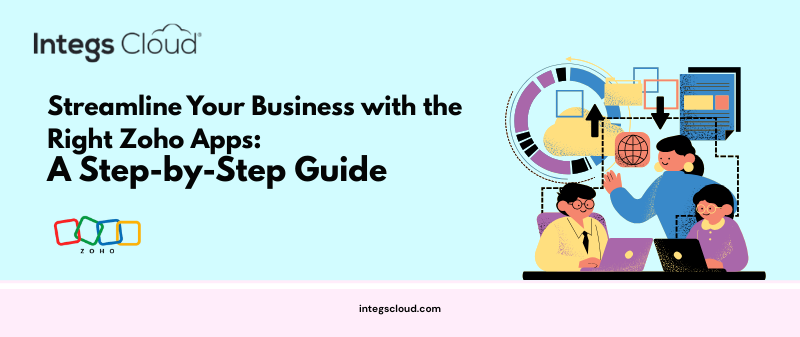
Selecting the right tools for your business can be challenging. With so many Zoho applications available, it’s easy to feel overwhelmed. From CRM and Books to People and Desk, each app is designed to address specific business needs. The key is to choose the right combination of apps that work seamlessly together, supporting your processes and growth goals.
In this guide, we will walk you through a step-by-step approach to selecting the right Zoho apps and show how Integs Cloud, a trusted Zoho Authorized Partner, can help you make the process simple and efficient.
Step 1: Identify Your Business Needs
Before exploring Zoho apps, start by analyzing your business processes:
- Which areas need automation or improvement?
- Are you struggling with sales tracking, HR management, finance, or customer support?
- Where are the current bottlenecks in your workflows?
Answering these questions will help you understand which Zoho apps are most relevant for your business.
Step 2: Map Your Processes to Zoho Applications
Once you’ve identified your needs, match them with the appropriate Zoho applications:
- Zoho CRM – Manage leads, opportunities, and customer relationships
- Zoho Books – Streamline accounting, invoicing, and financial management
- Zoho People – Manage employee records, payroll, and HR processes
- Zoho Desk – Improve customer support with ticketing and automation
- Zoho Creator – Build custom apps for unique workflows without coding
This mapping ensures that each app addresses a specific part of your business, reducing redundancy and confusion.
Step 3: Prioritize Based on Business Impact
Not all apps are equally urgent. Prioritize based on:
- Which processes directly impact revenue or efficiency?
- Which areas consume the most manual effort?
- Which apps will deliver quick wins and measurable results?
Focusing on high-impact areas first ensures that your investment in Zoho pays off quickly.
Step 4: Check Integration and Compatibility
Zoho apps are designed to work together, but it’s important to plan integrations properly:
- Ensure data flows smoothly between apps (e.g., CRM → Books → Desk)
- Avoid duplicating data entry
- Check whether customizations are needed to match your workflow
Proper integration is key to building a connected, automated business ecosystem.
Step 5: Evaluate Customization Needs
Every business operates differently, so consider:
- Do you need custom fields, modules, or reports?
- Are there unique workflows that require automation?
- Would a low-code app like Zoho Creator help solve your specific challenges?
Customizations allow Zoho to adapt to your business, rather than forcing you to adapt to the software.
Step 6: Leverage Expert Guidance
While Zoho is user-friendly, first-time users often face challenges in selecting and implementing the right apps. This is where Integs Cloud comes in.
As a Zoho Authorized Partner, Integs Cloud helps businesses:
- Assess their current workflows and business needs
- Recommend the right combination of Zoho apps
- Customize apps to match specific requirements
- Deploy and integrate solutions seamlessly
- Train teams for faster adoption and long-term success
Working with a certified partner ensures you get Zoho right the first time, saving time, effort, and potential mistakes.
Step 7: Plan for Growth
Finally, think about the future. Your Zoho setup should be scalable:
- Can the chosen apps handle increasing data and users?
- Are workflows easy to modify as your business grows?
- Can additional Zoho apps be added later without disruption?
Planning for growth ensures your Zoho ecosystem evolves with your business.
Final Thoughts
Choosing the right Zoho apps is a critical step toward streamlining operations, improving efficiency, and supporting growth. By following this step-by-step guide and leveraging Integs Cloud’s expertise, you can confidently select, implement, and customize the right Zoho solutions for your business.
Ready to get started? Partner with Integs Cloud to make your Zoho journey seamless and effective from day one.