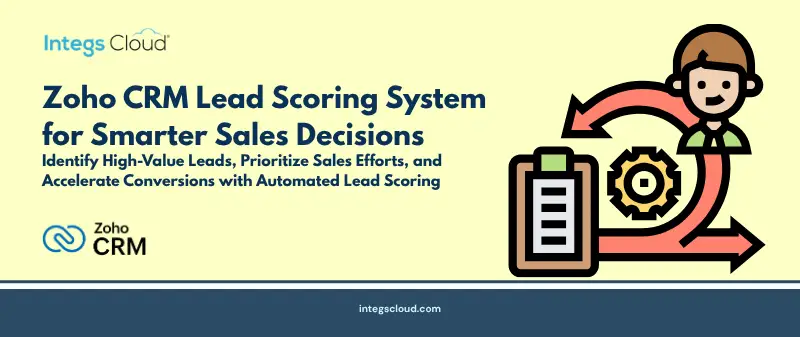
Turning Lead Data into Sales Opportunities
Every sales representative knows the frustration: your pipeline is packed with leads, but half of them are just digital window-shopping. If your team treats a casual blog reader the exact same way they treat a decision-maker asking for a quote, you are bleeding valuable time and money.
That is where smart sales automation steps in to save the day. Specifically, setting up a customized Zoho CRM lead scoring system lets you cut through the noise, separate the hot prospects from the cold, and prioritize your team’s energy where it actually drives revenue.
What is Lead Scoring in Zoho CRM?
Think of lead scoring as a real-time, automated ranking system for your sales pipeline.
Instead of guessing who to call first, you assign numerical values to specific actions and company profiles. Once those points add up, your team instantly knows who is ready for a sales call and who needs to be left alone.
An effective Zoho CRM setup looks at two basic buckets of data:
- Demographic Profile: Who they are (industry, size, role).
- Behavioral Tracking: What they are doing (clicks, downloads, visits).
Blending these two data streams gives you a bulletproof, automated way to qualify incoming business.
Building a Zoho CRM Lead Scoring Model
To build a scoring setup that actually drives revenue, you first have to map out what your ideal buyer looks like, along with the digital breadcrumbs that prove they are ready to buy.
1. Demographic-Based Scoring
This step simply evaluates whether a prospect fits your target profile.
You will want to score things like:
- Specific industries or verticals
- Company size and employee headcount
- Geographic region
- Job title and decision-making power
- Annual revenue brackets
If a VP of Sales from a major target account signs up, they get a massive point boost. If an intern or a student signs up, their score stays flat. This keeps your reps focused exclusively on accounts that can actually sign a contract.
2. Behavior-Based Scoring
What a prospect does online tells you exactly how close they are to making a decision.
With Zoho CRM lead scoring, you track and reward actions like:
- Deep page views on your website
- Email opens and links clicked
- Form submissions
- Direct product inquiries
- Live demo bookings
- Content downloads
Here is a simple way to weigh those actions:
- Downloading a basic guide: +15 points.
- Booking a live product demo: +50 points.
- Zero website activity for 60 straight days: -20 points.
This background tracking ensures you catch every single hot buyer signal the moment it happens.
Designing an Effective Lead Scoring Framework
Your scoring metrics have to match your actual, real-world buyer’s journey. Here is a baseline configuration to get you started:
| Customer Action | Score Impact |
| Requested product demo | +50 points |
| Submitted contact form | +30 points |
| Viewed pricing page | +25 points |
| Downloaded product guide | +15 points |
| Opened marketing email | +5 points |
| No engagement for 60 days | -20 points |
These numbers are not set in stone. You should tweak them based on your average sales cycle length, product complexity, and target market habits. A balanced, clean model protects your reps from getting spammed with false alerts.
Automating Lead Qualification with Zoho CRM
Scoring only works if you back it up with robust sales automation. Workflows inside the CRM can trigger instant operational tasks the second a lead hits a specific point milestone.
Instant Lead Routing
When a prospect crosses your qualification threshold, the system hands them off immediately. For example, the moment a lead touches 80 points, they are automatically assigned to a senior rep for fast outreach.
Automated Reminders
Automation keeps high-priority opportunities from falling through the cracks by handling the busywork:
- Generating urgent follow-up tasks for your team
- Scheduling outreach calls on the rep’s calendar
- Sending instant Slack or email alerts to account managers
- Updating pipeline stages in real time
Process Control via Blueprints
Using Blueprints lets you enforce a strict, repeatable process for every single qualified opportunity:
↓
Automated Lead Scoring
↓
Lead Qualification
↓
Sales Follow-up & Engagement
↓
Demo / Meeting Scheduled
↓
Opportunity Created
↓
Deal Won
This structured layout makes sure every high-value deal gets standard, premium treatment.
Lead Segmentation Based on Lead Scores
Smart scoring leads to highly tailored messaging.
- High-Score Leads: These are hot prospects with massive buying intent. They fit your ideal profile and are actively engaging. Call them immediately. Use highly personalized, direct outreach.
- Medium-Score Leads: They are interested but need more education. Keep them in targeted nurturing loops, sending helpful industry content and product updates to build trust.
- Low-Score Leads: These contacts are cold or do not fit your profile. Leave them in quiet, automated email tracks to maintain brand awareness without wasting human sales time.
Improving Sales Conversion Through Lead Scoring
Setting up a structured framework inside your zoho crm has immediate benefits:
- Zero-In on Best Opportunities: Reps stop guessing who to call and focus entirely on high-win deals.
- Lightning-Fast Response Times: Hot prospects skip the line and get routed to sales in minutes, not days.
- Better Marketing Insights: Marketing teams can optimize campaigns based on lead quality rather than just chasing raw lead volume.
- Shorter Sales Cycles: Approaching buyers exactly when their interest peaks leads to faster decisions.
Combining Zoho CRM Lead Scoring with AI
Modern CRM strategies look beyond simple static rules. By using AI tools like Zoho Zia, you can analyze years of historical sales patterns alongside current user behavior.
This AI layer finds hidden buying trends that humans easily miss, giving your team better trend forecasting and suggesting the exact next step to take on an active deal.
Best Practices for Zoho CRM Lead Scoring
- Get Sales and Marketing to Agree: Both teams have to define exactly what makes a lead “ready to buy” before you write a single rule.
- Keep Your Rules Simple: Do not try to track fifty different things on day one. Start with your five most important buying signals and grow from there.
- Review Your Data Regularly: Markets change. Audit your scoring weights every few months to make sure they match real-world results.
- Make Sure Every Score Triggers an Action: A high score is useless if it just sits there. Tie every major milestone to an automated task or notification.
Conclusion
Turning a chaotic, manual sales pipeline into a streamlined, data-driven machine is the main goal of Zoho CRM lead scoring. When you connect demographic fit, behavior tracking, and automation, your team can finally close more deals in less time.
Need Expert Zoho CRM Customization Support?
Building an optimized lead scoring system takes more than just turning on default settings. You need a strategy that perfectly aligns your workflow setup, integrations, and revenue reporting.
As an active, certified Zoho partner, Integs Cloud helps businesses customize their CRM to get actual results. Our team of zoho experts specializes in designing advanced automation layouts, seamless app integrations, and customized sales pipelines tailored to your business model.
Talk to Integs Cloud today to build a custom CRM automation strategy that maximizes your sales conversions and scales your pipeline.