Let’s be completely honest for a second. If your business runs Oracle NetSuite as your ERP but your team uses Zoho Expense to track receipts, your finance department is probably losing hours of their week to pure, unadulterated busywork.
Every new hire means someone has to manually create a user profile in two separate places. Every approved expense report means someone has to export a CSV file, pray the formatting doesn’t break, and manually upload it into NetSuite. It is tedious, it’s prone to human error, and frankly, it is a massive waste of your team’s time.
We got sick of watching finance teams deal with this exact headache.
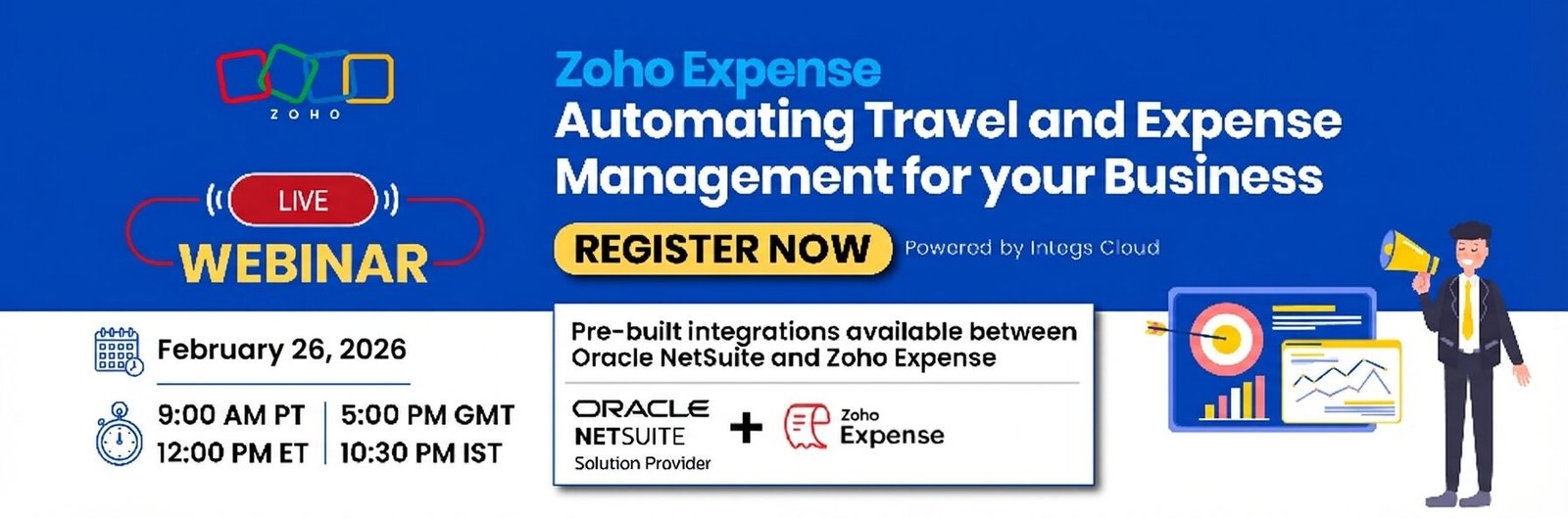
That is why the team at Integs Cloud built a direct bridge between the two platforms. We’re incredibly excited to announce that our new NetSuite Extension for Zoho Expense is officially live on the Zoho Marketplace.
How Data Moves (Without You Touching It)
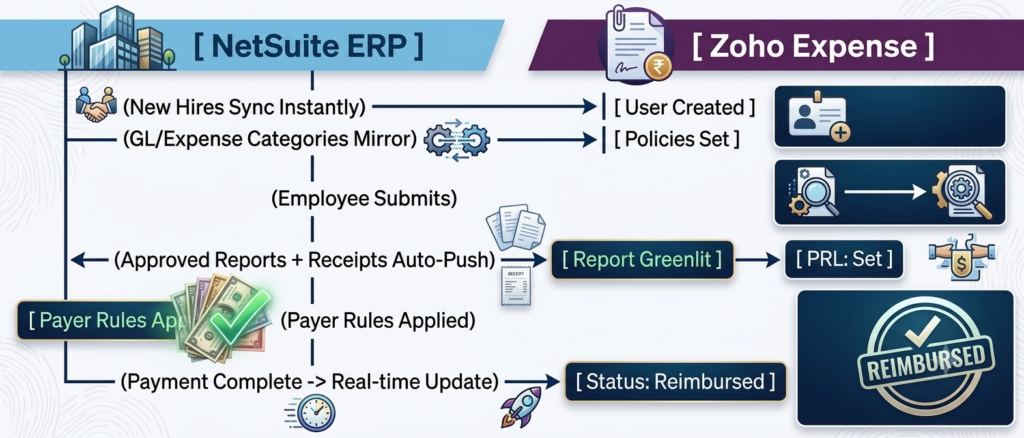
This isn’t just some basic tool that dumps data from one app to another. It links the systems together so information passes back and forth natively. Here is the path your data takes:
The Process, Broken Down Step-by-Step
Instead of forcing your accounting team to act as human routers, the extension automates the entire lifecycle of an expense:
- Step 1: The workforce syncs itself. The absolute second HR adds a new employee profile into NetSuite, the extension spins up their user account inside Zoho Expense. No manual setup, and unique mapping IDs ensure zero duplicate profiles.
- Step 2: Categories stay completely unified. You define your expense categories and rules once in NetSuite. They immediately mirror over to Zoho Expense so employees can’t accidentally pick the wrong bucket for their receipts.
- Step 3: True hands-free reporting. When a manager hits “approve” on a report in Zoho Expense, it travels straight into NetSuite as a structured record—taking all the digital receipts along with it. Nobody has to manually move files.
- Step 4: Smart validation in NetSuite. Oracle NetSuite takes over to process the incoming reports based on your pre-set accounting rules, managing internal validations and classification automatically.
- Step 5: Closing the loop. Once the reimbursement is paid out inside NetSuite, the extension instantly updates the status in Zoho Expense to “Reimbursed.” Employees see exactly where their money is without pinging accounting over Slack.
Flexible Control and Enterprise Security
We know that every finance department operates a bit differently, so we didn’t force a rigid sync schedule on you. You have total control over how the data flows:
- Real-time triggers: For teams that want information updated the exact second it changes.
- Scheduled batches: Perfect for bulk operations that you want to run overnight.
- On-demand sync: A simple button you can hit whenever you are running mid-day reconciliations.
More importantly, it’s secure. We built this integration using secure OAuth authentication and fully encrypted HTTPS data transfers, meaning your corporate financial data stays exactly where it belongs—protected, private, and compliant.
Let’s Get Those Hours Back
At Integs Cloud, we don’t just hand you a piece of software and wish you luck. We handle the entire implementation process, looking closely at your current financial workflows to make sure everything connects smoothly without throwing a wrench into your daily operations.
Whether you’re just tying Zoho Expense to NetSuite, or looking to loop in other tools like Zoho CRM, People, or Analytics down the road, we’ve got you covered.
Stop wrestling with manual data entry and CSV files.
Head over to the Zoho Marketplace today to check out the extension, or reach out to our team to book a live, free demo and see it in action.